Start instantly with a free tool: 👉 https://freeqrcodestudio.com/
Why Learning How to Create QR Code for Website Link Matters Today
In today’s mobile-first world, people want instant access to information. Typing long URLs is inconvenient, error-prone, and outdated. That’s exactly why knowing how to create QR code for website link has become an essential digital skill for marketers, business owners, educators, creators, and even everyday users.
A QR code allows someone to open your website instantly by simply scanning with their smartphone camera—no typing, no friction. Whether you’re promoting a product, sharing a blog, running an event, or adding a digital touch to printed materials, QR codes bridge the gap between offline and online experiences.
The good news? Creating a QR code for a website link is fast, free, and requires zero technical knowledge. With modern QR generators like FreeQrCodeStudio.com, anyone can generate a professional QR code in seconds.
This in-depth guide will walk you through everything you need to know—from benefits and step-by-step instructions to best practices, mistakes to avoid, and expert tips—so you can confidently create and use QR codes that actually work.
Benefits and Uses of QR Codes for Website Links
Understanding the benefits helps you see why QR codes are more than just a trend—they’re a powerful tool for engagement and conversion.
1. Instant Website Access
QR codes eliminate friction. One scan opens your website instantly, improving user experience and increasing traffic.
2. Boost Offline-to-Online Engagement
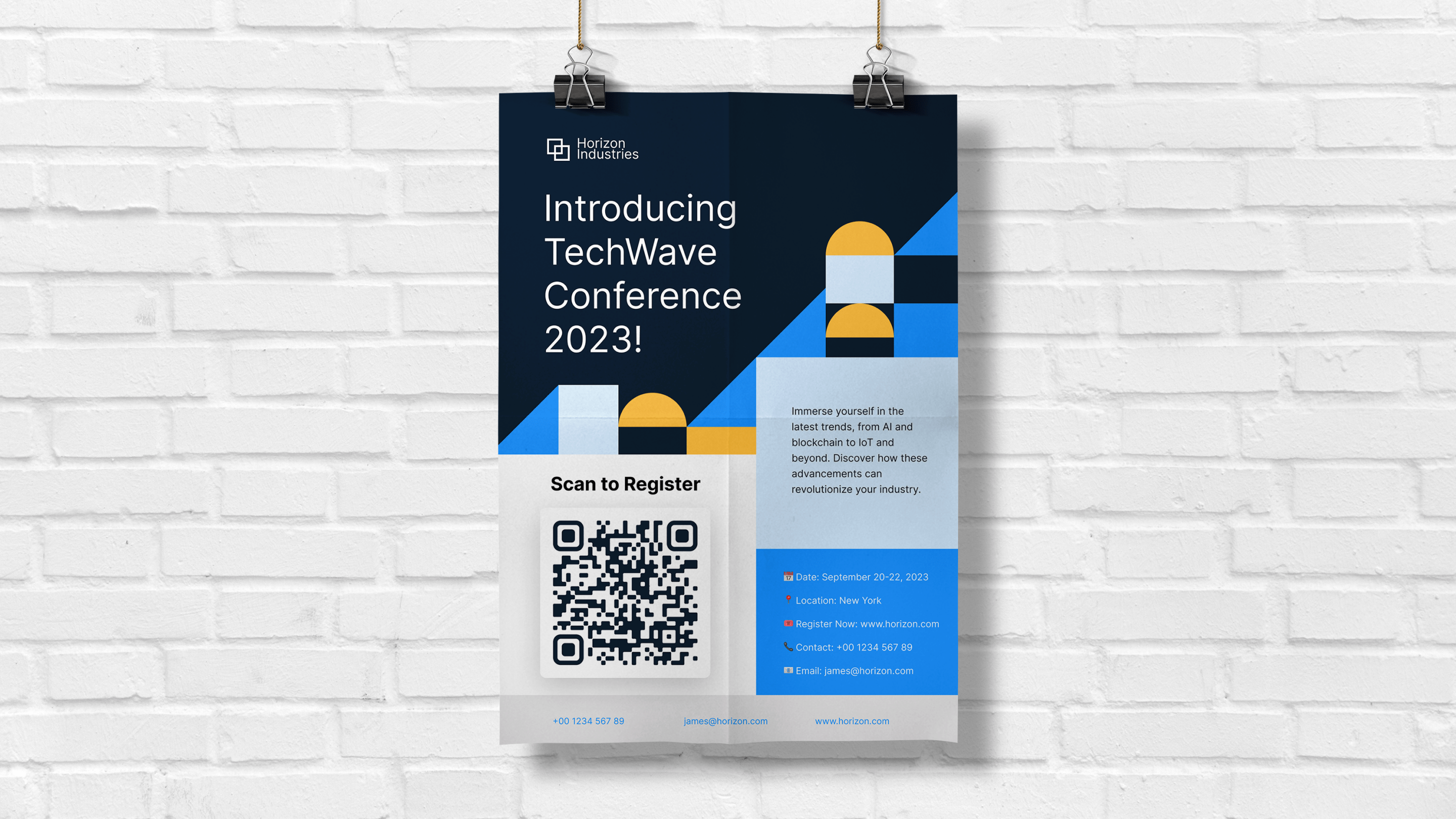
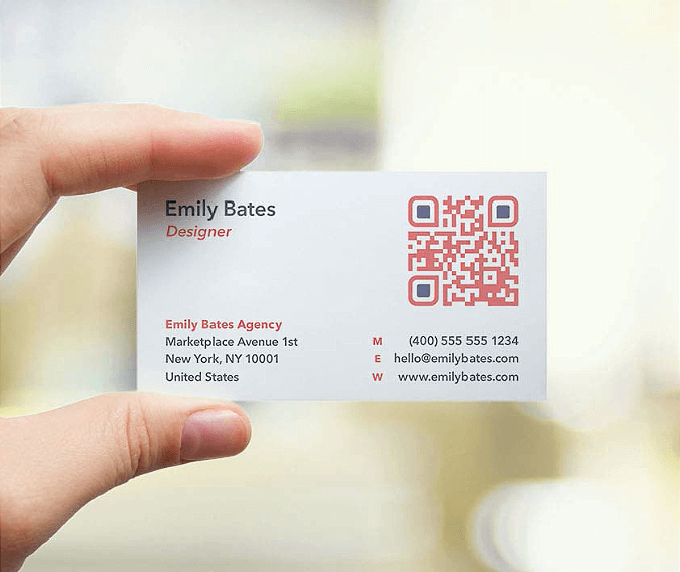
Printed materials like flyers, posters, menus, and business cards become interactive gateways to your digital content.
3. Mobile-Friendly by Design
Since QR codes are scanned using smartphones, they naturally support mobile browsing behavior.
4. Error-Free Sharing
No risk of typing mistakes, broken links, or forgotten URLs.
5. Cost-Effective Marketing Tool
You can generate QR codes for free and reuse them across campaigns without additional costs.
6. Versatile Across Industries
QR codes work for:
- Business websites
- Blogs and portfolios
- Online stores
- Event landing pages
- Restaurant menus
- Educational resources

Step-by-Step Guide: How to Create QR Code for Website Link (Beginner Friendly)
Creating a QR code doesn’t require design skills or software downloads. Follow these simple steps.
Step 1: Copy Your Website URL
Open your website or landing page and copy the full URL (including https://).
Step 2: Open a Free QR Generator
Go to https://freeqrcodestudio.com/ using any browser on desktop or mobile.
Step 3: Select “Website URL” as the QR Type
Choose the option designed for website links to ensure proper encoding.
Step 4: Paste Your Website Link
Insert the copied URL into the input field.
Step 5: Customize (Optional)
You can personalize your QR code with:
- Colors
- Shapes
- Frames
- Logo (if available)
Customization helps with branding and increases scan trust.
Step 6: Generate the QR Code
Click the “Generate” button. Your QR code is created instantly.
Step 7: Download and Test
Download the QR code image and scan it with your phone to ensure it opens the correct page.
That’s it—you’ve successfully learned how to create QR code for website link in under a minute.
Key Features of a Good QR Code Generator
Not all QR tools are created equal. A high-quality QR generator should offer the following features:
1. Free and Unlimited Use
You shouldn’t have to pay to create basic website QR codes.
2. No Sign-Up Required
Instant access saves time and removes barriers.
3. High-Resolution Downloads
Clear QR codes scan better, especially on printed materials.
4. Fast Generation Speed
QR codes should be generated instantly without delays.
5. Mobile Compatibility
The tool should work smoothly on phones, tablets, and desktops.
6. Clean and Secure Encoding
Ensures your website link opens safely and correctly.
Tools like FreeQrCodeStudio.com are designed with simplicity and usability in mind, making them ideal for beginners and professionals alike.
How QR Codes for Website Links Work (Simple Explanation)
QR codes are a type of two-dimensional barcode that store information in a grid of black and white squares.
Here’s what happens behind the scenes:
- Your website URL is converted into encoded data.
- The data is visually represented as a square QR pattern.
- A smartphone camera scans the pattern.
- The phone decodes the data instantly.
- The browser opens your website link.
This entire process takes less than a second, which is why QR codes feel so seamless to users.


When Should You Use a QR Code for a Website Link?
QR codes are useful in more situations than most people realize.
Business and Marketing
- Business cards
- Flyers and brochures
- Product packaging
- Storefront posters
Digital Content Promotion
- Blogs and articles
- YouTube channels
- Online portfolios
- Social media landing pages
Events and Education
- Event registration pages
- Conference schedules
- Course materials
- Presentation slides
Hospitality and Retail
- Restaurant menus
- Hotel services
- Product details
- Customer feedback pages
Any time you want someone to quickly access your website without typing, a QR code is the perfect solution.
Common Mistakes to Avoid When Creating Website QR Codes
Even though QR codes are simple, small mistakes can reduce their effectiveness.
1. Using Low-Quality Images
Blurry or pixelated QR codes may fail to scan, especially when printed.
2. Linking to Non-Mobile-Friendly Websites
Since most scans happen on phones, your website must be mobile-optimized.
3. Making the QR Code Too Small
Small QR codes are difficult to scan from a distance.
4. Poor Color Contrast
Always ensure strong contrast between the QR code and its background.
5. Not Testing Before Publishing
Always scan your QR code on multiple devices before distributing it.
Avoiding these mistakes ensures your QR code performs reliably in real-world use.
Bonus Tips to Maximize QR Code Scans and Conversions
Want better results from your QR codes? Follow these expert tips:
Add a Clear Call-to-Action
Text like “Scan to Visit Our Website” increases engagement.
Place QR Codes Strategically
Position them where users naturally look—near headlines, entrances, or checkout areas.
Use Short, Clean URLs
Clean URLs scan faster and look more professional when embedded.
Track Performance (If Available)
Analytics help you understand user behavior and campaign success.
Keep the Destination Updated
Make sure the linked page stays live and relevant.
These small optimizations can significantly increase scan rates and website traffic.
Conclusion: Creating Website QR Codes Is Easier Than Ever
Learning how to create QR code for website link is no longer optional—it’s a practical skill that enhances accessibility, engagement, and digital reach.
QR codes simplify how people interact with your website, eliminate friction, and create seamless offline-to-online experiences. Whether you’re a business owner, marketer, student, or creator, QR codes help you connect faster and smarter.
With free tools available, there’s no reason not to start using QR codes today.
🚀 Call to Action: Create Your Free Website QR Code Now
Ready to create your own QR code in seconds?
👉 Use this free QR Generator Tool: https://freeqrcodestudio.com/
It’s fast, simple, and requires no registration. Start turning your website links into powerful, scannable QR codes today—and make it easier than ever for people to reach your content.
Frequently Asked Questions (FAQs)
Q1: How do I create a QR code for my website link for free?
You can create a QR code for your website link for free by using an online QR generator. Simply paste your URL, generate the code, and download it.
Q2: Do QR codes for website links expire?
Static QR codes do not expire and will work as long as the linked website remains active.
Q3: Can I use a QR code on printed materials?
Yes, QR codes are ideal for flyers, posters, business cards, menus, and packaging.
Q4: Will my phone scan a website QR code without an app?
Most modern smartphones can scan QR codes directly using the built-in camera app.
Q5: What size should a website QR code be?
For print, a minimum of 2 × 2 cm (0.8 × 0.8 inches) is recommended for reliable scanning.
Q6: Can I customize my website QR code?
Yes, many QR generators allow customization such as colors, frames, and logos.
Q7: Are QR codes safe to use for website links?
Yes, QR codes are safe as long as they link to trusted and secure websites.